


Instagram Rolls Out Story Reshare: What You Need to Know
What the Feature Does
Instagram now allows users to reshare public Stories to their own profile even if they were not tagged in the original Story. The option appears as an “Add to Story” action when viewing a public Story, making it easier to share interesting clips or updates without needing screenshots or screen recordings.
How It Works – Quick Walkthrough
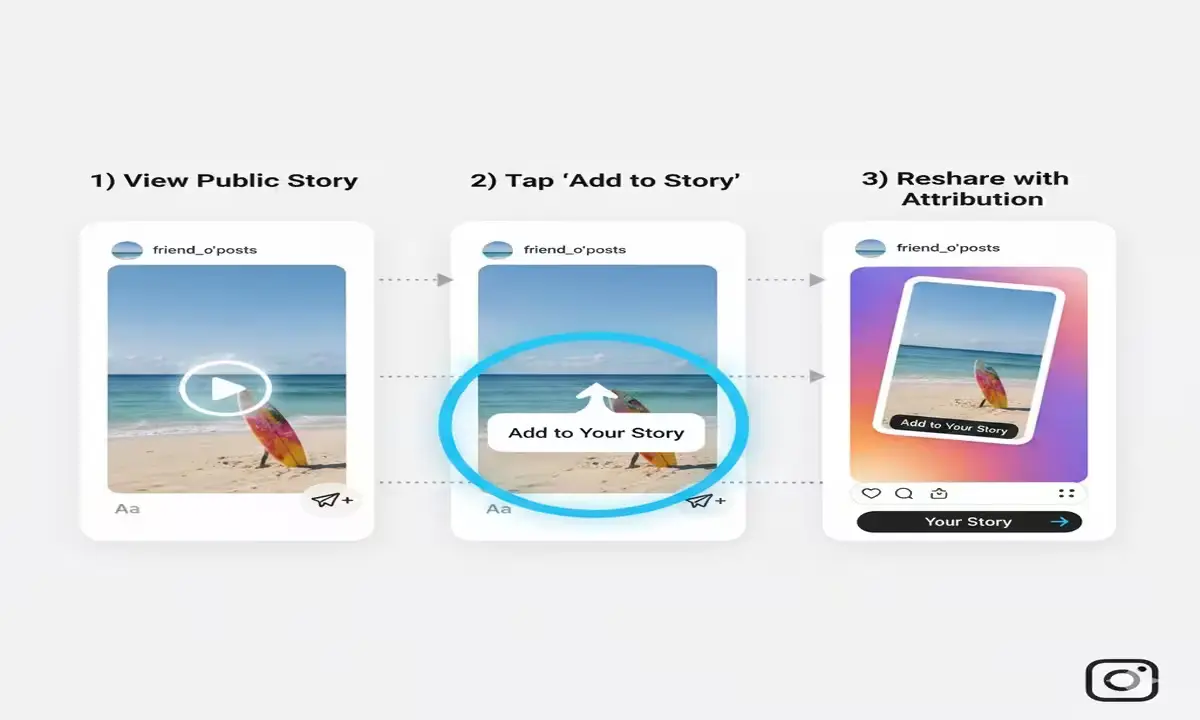
When a Story is public and the creator has enabled sharing, viewers will see a reshare option inside the Story menu. Once reshared, the Story displays attribution to the original creator, allowing viewers to tap through to the account. The feature is rolling out across iOS and Android and integrates seamlessly into the existing Story-sharing interface.
Privacy and Creator Controls
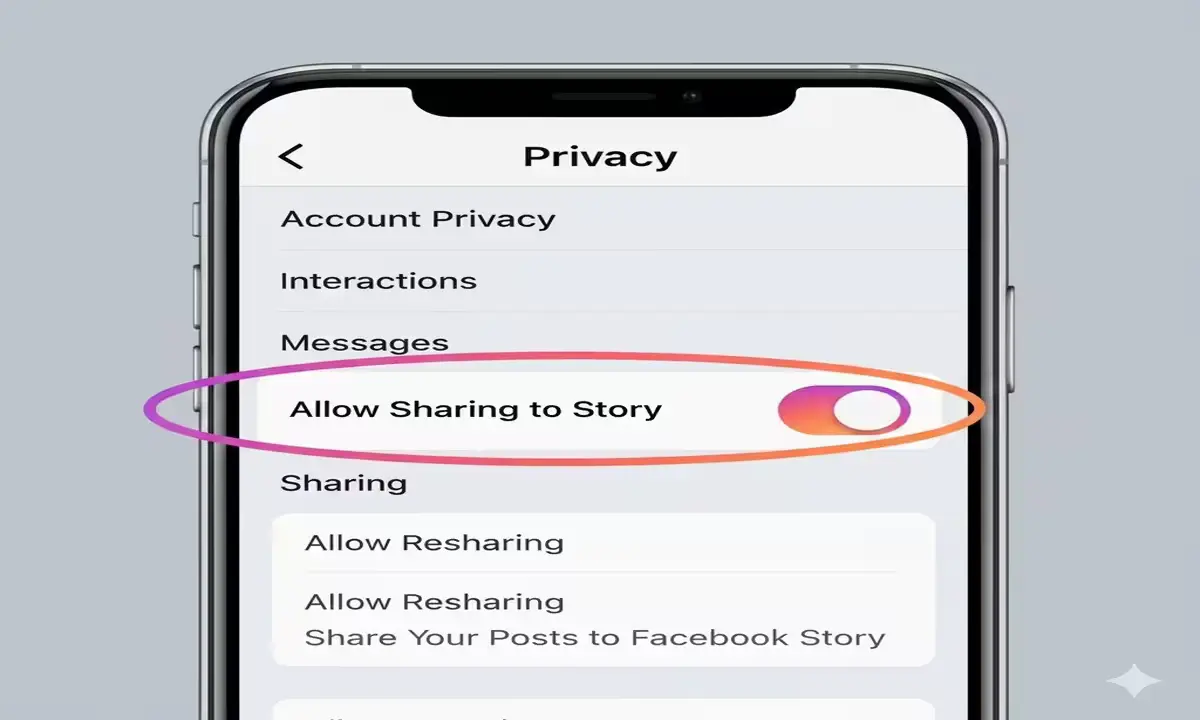
Creators who want to limit resharing can disable the option by toggling “Allow Sharing to Story” within their privacy settings. If this setting is turned off, their Stories cannot be reposted by others. Instagram aims to balance accessibility with creator control through this feature.
Why This Matters
The update removes the need for workarounds like screenshots and encourages proper attribution. For creators who permit it, resharing can help increase visibility and engagement. The feature also aligns Instagram more closely with reshare options already common on other social platforms.
Feature Details – Design, AI & Limits
Reshared Stories follow the same visual style as the original Story tools, keeping the experience consistent. Instagram has not included AI-powered transformations for reshares at this stage; the focus remains on permission and attribution. Only Stories from public accounts are eligible for resharing, keeping private content protected.
Release & Availability
The rollout is happening in stages across regions. If the feature hasn’t appeared on your profile yet, it should arrive in an upcoming app update. Creators should review their privacy settings to enable or disable sharing based on their preference.
User Reaction & Early Feedback
Users have praised the convenience and clear attribution system, while some have expressed interest in further clarity around content boundaries. Early impressions suggest the feature strikes a good balance between easy sharing and creator control.
Disclaimer
This article summarizes the feature and its implications. As Instagram continues to refine the update, users should check the app settings regularly for the latest options and controls.
FAQs
1. Who can reshare Stories on Instagram?
Any user who views a Story from a public account with sharing enabled can reshare it.
2. Can creators stop resharing?
Yes. Public account owners can turn off “Allow Sharing to Story” in their privacy settings.
3. Will reshared Stories show the original creator?
Yes. Reshared Stories always include attribution and link to the original profile.
4. Does it work for private accounts?
No. Stories from private accounts cannot be shared by others.
5. Is it free?
Yes. The feature is included at no extra cost within the Instagram app.
